Is Tasks.Bot Good for Zapier Alternative AI Automation
You are paying for Zapier tasks that only need a WhatsApp message. Many teams now run approvals, reminders, and field check-ins through automation tools built for email, not chat.
By the end of this article, you will know whether Tasks.Bot works as a Zapier alternative for AI automation, where its WhatsApp-native task management fits, and where Zapier-style tools still win. You will also see its features, pricing, and beta status so you can decide if it suits your team.
What Is Tasks.Bot? A WhatsApp-Native Task Management Platform
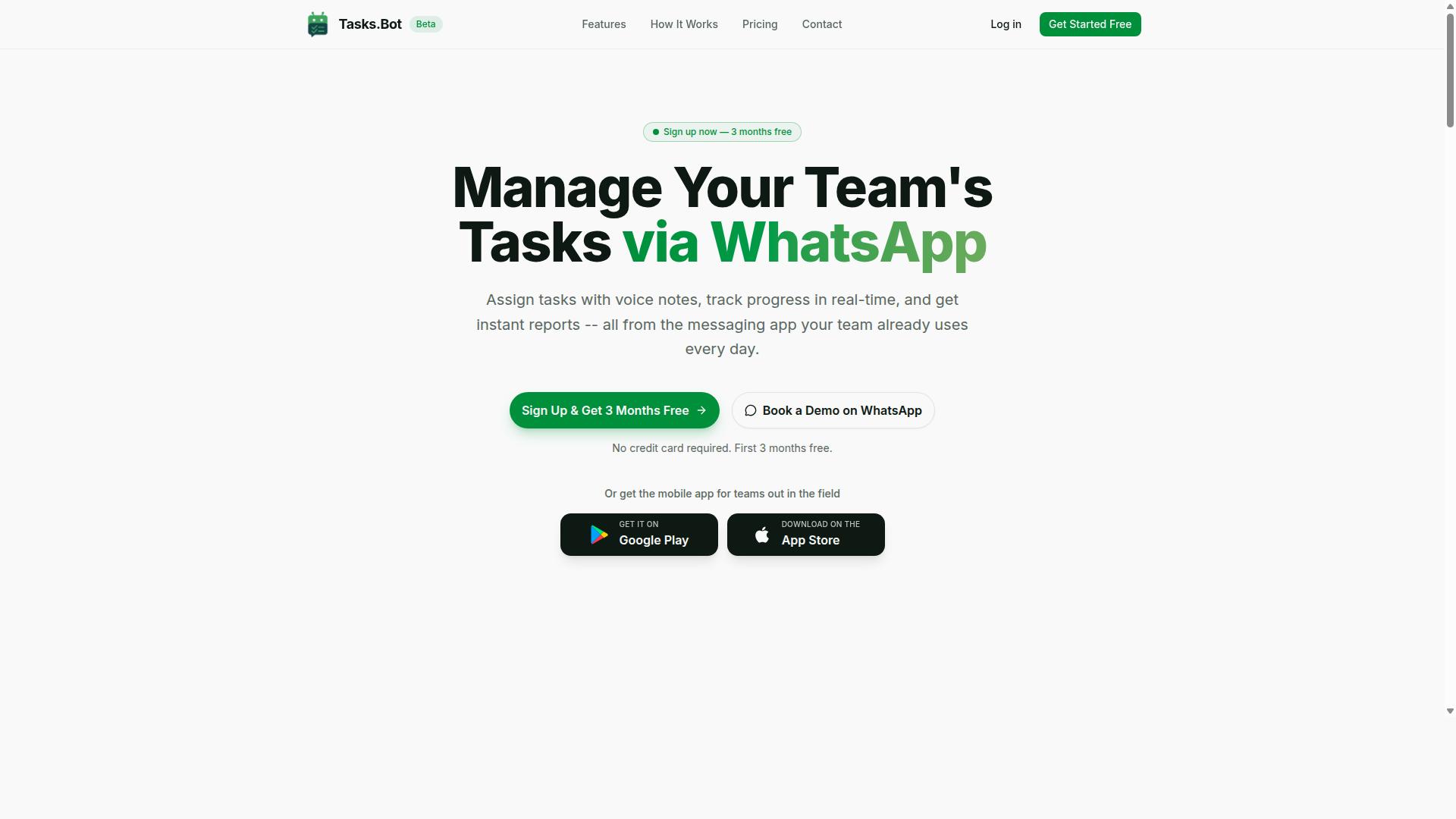
Tasks.Bot is a task management platform that operates entirely within WhatsApp, enabling teams to assign tasks, track progress, and receive reports without leaving the messaging app. It is a SaaS solution built around the tools people already use every day.
Because everything happens inside WhatsApp, team members do not need to install new software or create separate accounts. Tasks.Bot also offers a mobile app for field teams, so staff working away from a desk can stay connected.
The service is currently in beta and offers a free trial period. For teams already running their operations through WhatsApp, that combination makes Tasks.Bot a natural starting point for task management rather than another platform to learn.
Who Tasks.Bot Serves: WhatsApp-First Teams and Field Staff
Tasks.Bot is designed for teams that rely on WhatsApp for communication, particularly those with field staff who need to manage tasks, track attendance, and record payroll-ready hours. These are teams where work happens on the move, not at a desktop.
The platform targets a specific set of pain points that WhatsApp alone cannot solve. Group chats are great for conversation, but they are poor at showing who was assigned what, whether a job was finished, or how many hours someone actually worked. Tasks.Bot addresses task assignment, progress tracking, and attendance verification inside the same interface the team already opens dozens of times a day.
That fit matters most in industries where workers are dispersed and rarely near a computer. Common scenarios include:
- Construction, where site crews need clear daily assignments and verified attendance
- Delivery and logistics, where drivers need jobs pushed to their phones and status updates captured in real time
- Field services, such as maintenance, inspections, and repairs, where proof of completion matters
- Cleaning, security, and facility teams, where shift hours feed directly into payroll
The site mentions that hundreds of teams already use the service, which suggests the WhatsApp-first approach resonates beyond a single niche. For a manager weighing a Zapier alternative for AI automation, the appeal is straightforward: no adoption barrier, no training sessions, and no new app for staff to ignore. The workflow lives where the conversation already happens.
Is Tasks.Bot a Good Zapier Alternative for AI Automation? The Direct Answer
Tasks.Bot is not a direct Zapier alternative; instead, it serves as a specialized AI automation tool focused on task management within WhatsApp, whereas Zapier is a general-purpose integration platform. The two products solve different problems, and treating them as interchangeable will lead to the wrong expectations.
Zapier's strength lies in breadth. It connects thousands of apps so that an event in one service can trigger an action in another, covering everything from email and spreadsheets to CRMs and project boards. That makes it a natural fit for cross-app workflow automation across an entire business stack.
Tasks.Bot takes a narrower path. It is built around task management and communication inside WhatsApp, using AI to interpret natural language and voice input. Instead of wiring apps together, it turns a spoken or typed message into an organized task.
That difference shapes what each tool is actually good at:
- Zapier: connecting many unrelated services through triggers, actions, and several-step operations
- Tasks.Bot: capturing, organizing, and managing tasks through conversational AI in WhatsApp
- Zapier: suited to event-driven automation that spans departments and platforms
- Tasks.Bot: suited to individuals and teams who already work inside a chat environment
The automation approach also differs. Zapier relies on a visual workflow builder with conditional logic, branching, and scheduling, where users define rules in advance. Tasks.Bot leans on natural language processing and conversational AI, so the instruction itself becomes the automation.
For teams that need broad business process automation across many SaaS tools, Zapier remains the better choice. Its integration platform is designed for exactly that scale.
For WhatsApp-centric task automation, Tasks.Bot is the stronger fit. It removes the friction of switching apps and lets users create and manage tasks the way they already communicate, which is a meaningfully different kind of productivity tool.
The honest verdict: these are complementary rather than competing products. Choose based on whether your bottleneck is connecting apps or capturing and acting on tasks inside a messaging workflow.
Where Tasks.Bot's AI Automation Actually Fits (and Where Zapier-Style Tools Still Win)
Tasks.Bot's AI automation fits best in scenarios where task creation, assignment, and tracking occur naturally through WhatsApp conversations, while Zapier-style tools excel at connecting disparate apps and services. The two approaches solve different problems, and understanding that split helps you pick the right automation tool for your team.
The core difference comes down to where work already happens. If your staff live inside WhatsApp all day, an AI agent that understands that channel removes friction. If your data lives across a dozen SaaS platforms, an integration platform that speaks to all of them becomes the priority.
Tasks.Bot leans into conversational AI, where a message becomes a task without anyone opening a dashboard. Zapier-style platforms lean into event-driven automation, where one app's trigger fires an action in another. Neither is universally better. They simply target different workflows.
Where a WhatsApp-First AI Agent Makes Sense
Field teams rarely sit at a desk. Construction crews, delivery drivers, cleaners, and site supervisors work with their hands and their phones. For them, a task automation tool that lives inside a chat app matches how they already communicate.
Consider a construction team assigning daily tasks by voice note. A supervisor records a quick message describing what needs doing, and natural language processing turns that audio into structured tasks with owners and due dates. No typing, no app switching, no training session.
This is where conversational AI shines. The same logic applies to:
- Cleaners sending photo updates that close out a job
- Drivers confirming deliveries through a quick reply
- Site managers reassigning work mid-shift with a short message
- Remote teams logging progress without opening a separate tool
The value is low adoption friction. Staff already know how to send a WhatsApp message. Voice notes and casual text become the interface, and the AI handles the parsing, routing, and tracking behind the scenes.
For operations built around field staff, this kind of AI agent reduces the gap between doing the work and recording it. Updates happen in the moment rather than at the end of a long day.
Where Zapier-Style Tools Still Win
Zapier-style platforms shine when the job is connecting many apps. They act as a central integration platform, letting one system's event trigger actions across others through API integration and webhooks.
Picture syncing CRM data with email marketing. A new lead appears in the CRM, a multi-step workflow adds the contact to a campaign, tags them by source, and notifies the sales channel. That chain spans several services, and a visual workflow builder handles it without code.
These tools also handle complexity that chat-first automation does not target:
- Conditional logic and branching across multiple paths
- Webhooks that react to external events in real time
- Multi-step workflows touching hundreds of connected apps
- Scheduling and event-driven automation across cloud services
When your business process automation depends on moving data between systems, a drag-and-drop workflow builder with broad app coverage is hard to beat. The strength is breadth: many triggers, many actions, many connections.
How to Choose Between the Two
The decision usually comes down to one question: is your primary workflow WhatsApp-centric task management or cross-platform integration? Answer that honestly and the choice becomes clear.
If your team coordinates through chat and needs tasks captured from natural language and voice notes, a conversational AI tool fits the way work already flows. If your operations depend on syncing records, triggering campaigns, and connecting SaaS apps, an integration-focused automation tool serves you better.
Some teams benefit from both. A field crew might track daily jobs through chat while the back office syncs CRM and billing data through an integration platform. The tools complement each other rather than compete.
Match the automation tool to the workflow, not the other way around. For chat-driven task automation, a WhatsApp-first AI agent is the natural fit. For broad app-to-app connectivity, Zapier-style platforms remain the stronger choice. The right answer depends entirely on where your work actually lives.
Key Features That Make Tasks.Bot Stand Out
Tasks.Bot distinguishes itself with a suite of features designed specifically for WhatsApp-based task management, including AI-powered task creation, automated reminders, and field staff management tools.
Most automation platforms ask teams to learn a visual workflow builder, connect triggers and actions, and maintain a separate dashboard. Tasks.Bot takes a different path as a Zapier alternative for teams that live in chat. The entire experience runs inside WhatsApp, so members do not need to install anything or create new accounts.
Its capabilities fall into three practical categories:
- AI task creation from natural language and voice notes
- Automations and reporting, covering approvals, smart deadline reminders, and instant reports
- Field staff management, including face-verified attendance, live GPS tracking, and shifts, leave, and hours
Android and iOS apps add push notifications, voice capture, and a home screen widget for users who want them. Enterprise-grade encryption protects conversations and task data, which are never shared or used for training. The result is conversational AI doing the work of a traditional automation tool, without the setup overhead.
AI Task Creation From Natural Language and Voice Notes
Tasks.Bot leverages AI to interpret natural language and voice notes, allowing users to create tasks simply by sending a WhatsApp message like "Remind John to submit the report by Friday."
Behind that simplicity sits natural language processing. The AI reads the message, works out the intent, and pulls the key details: who the task belongs to, what needs doing, and when it is due. A task is then created automatically, with no form to fill in and no fields to map.
Voice notes work the same way. A supervisor on a construction site can hold the mic button and say something like "Assign Maria to inspect the north warehouse tomorrow morning," and the AI turns that spoken instruction into a structured, assigned task. For field staff who prefer speaking over typing, this removes a real barrier.
This matters for task automation because it cuts friction at the very first step. Instead of opening an app, navigating to a project, and completing a template, a user sends one message. Faster input means faster assignment, and fewer tasks fall through the cracks simply because logging them felt like too much work. It is a genuine example of an AI agent handling the busywork of coordination.
Automations, Approvals, Smart Deadline Reminders, and Instant Reports
Tasks.Bot automates routine workflows such as task assignments, approval chains, and deadline reminders, and generates instant reports on task status and team performance.
Automatic assignment follows rules you set, so recurring work reaches the right person without a manager manually routing it each time. When a task is marked complete, an approval step can be requested and granted inside WhatsApp, keeping sign-off visible and on the record. This is business process automation delivered through chat rather than a separate tool.
Smart deadline reminders adapt to each task's due date instead of firing on a fixed schedule. Managers spend less time chasing updates, and accountability improves because everyone sees the same status.
Instant reports arrive directly in WhatsApp. A manager might receive a daily summary of overdue tasks, or a snapshot of what each team member finished. Useful examples include:
- A morning digest of tasks due today
- An alert listing everything overdue
- A completion summary for a project or team
Because delivery happens in the same thread where work is discussed, reports get read. There is no separate dashboard login and no exported spreadsheet to interpret. For teams weighing a Zapier alternative, this replaces multi-step workflow chains with simple, event-driven updates that arrive where people already are.
Face-Verified Attendance, Live GPS Tracking, and Shifts/Leave/Hours Management
For teams with field staff, Tasks.Bot offers face-verified attendance, live GPS tracking, and tools to manage shifts, leave, and work hours, all integrated within WhatsApp.
Face verification confirms that the person clocking in is actually that person. This directly addresses buddy punching, where one worker clocks in on behalf of another. For industries like construction, logistics, and field services, that single control protects payroll accuracy and keeps attendance records trustworthy.
Live GPS tracking shows where field staff are in real time, which helps dispatchers assign nearby jobs and gives managers visibility into coverage across sites. The same location data supports tasks on a map, so work can be viewed by place rather than by list.
Shift scheduling, leave requests, and hour tracking round out the set. Hours feed naturally into payroll preparation, and leave requests can be raised and reviewed without paperwork changing hands. A live day tracker shows progress as the day unfolds.
All of this is reachable through WhatsApp and the mobile apps, so a worker with a phone and a chat thread has everything needed to start a shift, log attendance, and close out tasks. For a productivity tool aimed at distributed teams, combining conversation, attendance, and location in one place removes the gap between messaging and record-keeping. Tasks.Bot also offers a 3-month free trial with no credit card required, which lets teams evaluate these field features on real sites before committing.
Pricing and Plans: Full Access With a Free Trial
Tasks.Bot offers a single 'Full Access' plan that includes all features, with pricing available in Indian Rupees and US Dollars, and a free trial for new users. There are no confusing tiers, no locked modules, and no upsells waiting behind a paywall. That simplicity matters when you are comparing it to a Zapier alternative for AI automation, because most platforms charge more as your usage grows.
The pricing structure is flat and per member, which makes budgeting straightforward for teams of any size.
- Monthly plan: ₹200 per member per month
- Annual plan: ₹1,200 per year per member, which works out to a 50% saving of ₹1,200 per year per member
Pricing is also available in US Dollars. The site includes a 'Select currency' option with Indian Rupee and US Dollar choices, so it is worth verifying the displayed currency before you commit. This keeps the cost transparent whether your team bills in rupees or dollars.
Every feature sits inside the one plan. There is no "starter" version that strips out workflow automation essentials, and no premium tier that unlocks the parts you actually need. For readers weighing an integration platform, that means the headline price is the real price.
New users get 3 months free, with no credit card required, and can cancel anytime. That trial window is generous enough to build real several-step operations, connect triggers and actions, and judge whether the no-code automation fits your business process automation needs before paying anything.
The footer also references a refund policy. Anyone evaluating an automation tool should read that policy in full before subscribing, since it defines the terms if the platform does not suit your setup. Combined with the free trial and the ability to cancel anytime, the overall risk of trying Tasks.Bot is low.
For a team of five, the annual plan comes to ₹6,000 per year in total, or the equivalent in USD. Compare that with per-task pricing models common among Zapier alternatives, where costs climb with every automation run. A flat per-member rate gives you predictable spend and encourages wider adoption across your team.
In short, the pricing model backs up the product's positioning. One plan, all features, a free trial, and clear per-member rates make Tasks.Bot an easy recommendation for anyone seeking a Zapier alternative for AI automation without surprise bills.
Trust Signals: Beta Status, Encryption, and Hundreds of Teams Onboard
Tasks.Bot is currently in beta but already used by hundreds of teams, and it employs encryption to protect data, though potential users should consider the implications of beta status. That mix of early-stage development and real adoption is worth understanding before you commit a critical workflow to it.
The beta label is not a red flag on its own. It tells you the platform is still being shaped, which usually means evolving features and the occasional rough edge. For teams weighing Tasks.Bot as a Zapier alternative for AI automation, that trade-off deserves a clear-eyed look.
Beta software generally carries two risks. First, features can change or move as the product matures. Second, bugs are more likely than in a long-settled release. Neither is unusual for a young automation tool, but both matter when a workflow sits behind a customer-facing process.
What offsets that risk is traction. Hundreds of teams are already running work through Tasks.Bot, which suggests the core task automation holds up under real conditions. A product with no users is a bigger gamble than one with an active base testing it daily.
Data protection is the other trust pillar. Tasks.Bot employs encryption to protect data, which matters because workflow automation often touches messages, records, and internal systems. Encryption at rest and in transit is a baseline expectation, not a bonus.
If your workflows handle sensitive information, confirm how encryption applies to your specific use case before you migrate anything important. That is standard diligence for any integration platform, not a knock on this one.
Tasks.Bot also lists a refund policy in its footer, which acts as a practical safety net. A published refund path lowers the cost of trying the tool and finding it is not the right fit for your stack.
There is also a Book a Demo on WhatsApp option on the site. That gives prospective users a direct way to ask questions before committing, which is useful when you want clarity on beta limitations or data handling.
Weigh early adoption against maturity using a few simple checks:
- Does the tool cover the specific triggers and actions your workflow automation depends on?
- Are you comfortable with features shifting while the product is in beta?
- Does the published refund policy give you an acceptable exit if it falls short?
- Can you start with a low-stakes task automation before moving mission-critical processes?
Running a small, non-critical workflow first is the sensible middle path. You get hands-on evidence of reliability without exposing your most important business process automation to early-stage quirks.
The verdict on trust signals is positive. Beta status is a stage, not a defect, and it comes with a growing base of hundreds of teams, encryption for data protection, a refund policy, and a direct demo channel. For teams that value an AI agent approach and can tolerate some evolution, Tasks.Bot presents a reasonable and well-supported early-adoption bet.
Who Should Use Tasks.Bot - and Who Shouldn't
Tasks.Bot is ideal for WhatsApp-centric teams, especially those with field staff, but it may not suit organizations needing extensive cross-app automation or those not using WhatsApp. The distinction matters because the tool is built around a specific way of working, not a general-purpose automation engine.
Understanding where it fits is the fastest way to decide whether it belongs in your stack. The brand states that hundreds of teams already use the service, which suggests a clear, repeatable use case rather than a broad catch-all promise.
Good fit: WhatsApp-first teams. If your daily communication already happens in WhatsApp, Tasks.Bot meets people where they are. There is no new app to learn and no separate inbox to check, which lowers the barrier for staff who are not comfortable with traditional software.
Good fit: teams managing field staff. The verified use cases are task management, attendance tracking, and payroll-ready hours. For a dispersed workforce, those three needs tend to overlap, so handling them in one place removes duplicate admin work.
Good fit: small to medium businesses. Teams that want simple task automation without a heavy setup tend to benefit most. The value is in reducing manual follow-up, not in building elaborate multi-step workflow logic.
Poor fit: teams needing many app integrations. If your processes depend on connecting a wide range of unrelated tools through an integration platform, this is not the strength of the product. A dedicated Zapier alternative built for cross-app orchestration may serve you better.
Poor fit: organizations that do not use WhatsApp. The entire model assumes WhatsApp as the primary channel. Without that, the core advantage disappears.
Poor fit: enterprises needing deep customization. Large organizations often require advanced configuration, bespoke branching, and complex conditional logic. Those needs sit outside what the verified facts describe.
To decide, ask three questions. Does your team already run on WhatsApp? Do you manage people who are not sitting at a desk? Are your automation needs straightforward rather than sprawling? Three yes answers point toward a strong fit. Any no answer is worth weighing carefully before committing.
For the right team, Tasks.Bot is a focused productivity tool that solves real, everyday problems in attendance, task tracking, and hours. It is not trying to be everything to everyone, and that focus is precisely what makes it work well for the audience it was built to serve.
Final Verdict: Is Tasks.Bot Good for AI Automation?
Tasks.Bot is a strong choice for AI-driven task automation within WhatsApp, but it is not a general-purpose Zapier alternative; it excels in its niche. The platform's core value lies in bringing conversational AI and task management together in the messaging app many teams already use every day.
That focus is exactly why the comparison to a broad integration platform misses the point. Zapier-style tools connect hundreds of apps through triggers and actions. Tasks.Bot instead narrows its scope to WhatsApp-native task management, where an AI agent handles requests through natural language processing rather than a visual workflow builder.
For teams that live in WhatsApp, this narrowness is a feature, not a flaw. There is no new dashboard to learn and no drag-and-drop canvas to configure. Work happens where conversations already happen, which lowers the barrier for no-code automation adoption across non-technical staff.
Where Tasks.Bot gives ground is breadth. A general automation tool can orchestrate several-step operations across dozens of SaaS products using API integration, webhooks, conditional logic, and branching. Tasks.Bot does not position itself as that kind of connective hub, so buyers seeking cross-app orchestration should weigh that gap carefully.
The honest framing is that these are different categories solving different problems. One is a broad business process automation layer. The other is a focused productivity tool for conversational task handling. Judging Tasks.Bot by Zapier's scorecard would be like judging a messaging app by its spreadsheet features.
- Best fit: teams whose daily coordination already runs through WhatsApp
- Strong fit: small groups wanting AI task capture without new software to learn
- Weaker fit: operations teams needing multi-app, event-driven automation at scale
- Weaker fit: businesses requiring complex conditional logic across many connected services
On suitability, the target profile is fairly clear. Small businesses, service teams, and distributed groups that coordinate through chat get the most from conversational AI handling routine task requests. Larger organizations with formal IT stacks and heavy integration demands will likely outgrow the niche quickly.
Pricing and trial details matter here, and readers should confirm current terms directly with the brand, since plans and offers can change. The most reliable path is to ask the team what the trial includes and how it maps to your team size before committing.
To learn more or book a demo, reach out by phone at +91 97143 42522 or by email at [email protected]. A short conversation will clarify faster than any comparison chart whether the WhatsApp-first model matches how your team actually works.
Verdict: Tasks.Bot is good for AI automation if your work happens in WhatsApp and you want task automation without a steep learning curve. It is a focused, credible productivity tool rather than a full Zapier replacement. Teams that fit that profile should try it. Teams needing broad multi-app orchestration should look at a wider integration platform instead, and possibly run both side by side.
Frequently Asked Questions
Is Tasks.Bot really a good alternative to Zapier for AI automation?
Tasks.Bot isn't a like-for-like Zapier replacement - it's a task management platform built around WhatsApp, with AI that understands natural language and voice notes for creating tasks, plus automations, approvals, smart deadline reminders and instant reports. If your team already runs on WhatsApp and you want automation tied to real work (tasks, attendance, field staff), Tasks.Bot can replace several tools at once. If you need to connect hundreds of unrelated third-party apps, a dedicated connector tool may still be the better fit.
Do my team members need to install an app or create new accounts to use Tasks.Bot?
No. Tasks.Bot operates entirely within WhatsApp, so team members don't need to install anything or create new accounts - they simply use the WhatsApp they already have. A mobile app is also available for field teams that need it. This makes onboarding far simpler than typical automation platforms, where every user has to sign up and learn a new interface.
How does Tasks.Bot's AI actually work for task creation?
Tasks.Bot uses AI to understand natural language and voice notes, so you can create tasks by simply typing or speaking a message in WhatsApp. From there, the platform supports automatic task assignment, smart deadline reminders, approvals and automations, and instant reports. That means less setup time than building multi-step automation workflows by hand.
How much does Tasks.Bot cost compared to other automation tools?
Tasks.Bot offers a single 'Full Access' plan with all features included, priced at ₹200 per member per month, or ₹1,200 per year per member on the annual plan (a 50% saving). Pricing is available in both Indian Rupees and US Dollars. Since competitor pricing changes often and varies by plan and usage, it's best to compare current quotes directly rather than rely on outdated figures.
Does Tasks.Bot work for field teams, or is it only for office-based task management?
It's designed with field teams in mind. Alongside WhatsApp task management, Tasks.Bot offers a mobile app, tasks on a map, live day tracking, and face-verified attendance, which produces payroll-ready hours. This makes it a strong fit for teams with field staff who need task management and attendance in one place, rather than stitching together separate automation and tracking tools.
Is Tasks.Bot available in my country, and can I try it before committing?
Tasks.Bot is a SaaS product available worldwide with no country restrictions - you just need WhatsApp and, optionally, the mobile app. The service is currently in beta, and the website offers a 'Book a Demo on WhatsApp' option so you can see it working with your own team before deciding. A refund policy is also mentioned in the site footer.
Recommended Resources: